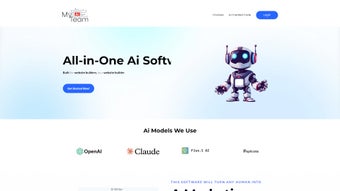

Download MyAIteam – AI Writing Assistant for Businesses, Secure Copy Generation
Overview – What Is MyAIteam?
MyAIteam is a cloud‑based, subscription‑driven AI writing assistant built specifically for businesses that need high‑quality copy at speed. Leveraging the latest large‑language‑model technology, the platform can draft blog posts, product descriptions, landing‑page headlines, and even full‑scale website content in seconds. The user‑friendly dashboard removes the intimidation factor of advanced AI, allowing both marketing newcomers and seasoned copywriters to generate polished, SEO‑ready text without leaving the browser.
MyAIteam doesn’t just spit out words; it optimizes structure, grammar, and readability to match the tone and intent of your target audience. By automating the heavy lifting of research, outlining, and drafting, the tool frees up valuable time for strategic tasks such as campaign planning, analytics, and customer engagement. In today’s fast‑paced digital marketplace, the ability to produce fresh, relevant content on demand can be a decisive competitive edge, and MyAIteam aims to be that edge for any size of enterprise.
Key Features that Power Your Content Engine
- Instant Blog Generation: Create full‑length, SEO‑optimized blog articles in under two minutes, complete with headings, sub‑headings, and meta descriptions.
- Smart Product Descriptions: Generate unique, conversion‑focused product copy that highlights benefits, specifications, and buyer intent.
- Tone & Style Controls: Choose from professional, conversational, technical, or friendly tones, ensuring the output aligns with brand voice.
- Grammar & Readability Engine: Built‑in proofreading that corrects errors, improves sentence flow, and targets a specific readability score.
- Audience‑Driven Optimization: Input demographic data (age, region, interests) and let the AI tailor language to resonate with the intended market.
- Collaboration Workspace: Share drafts with teammates, leave comments, and track version history—all within the same web app.
- One‑Click Export: Download content in Word, PDF, or directly publish to popular CMS platforms like WordPress and Shopify.
- Secure Cloud Storage: All generated files are encrypted at rest and in transit, meeting GDPR and CCPA compliance standards.
- Continuous Updates: The service receives monthly model improvements and new template packs without extra cost.
- Integrations & API Access: Connect MyAIteam with Zapier, HubSpot, or your custom workflow via a RESTful API.
Each feature is designed to reduce friction in the content creation pipeline. For example, the tone controls let you maintain brand consistency across channels, while the collaboration workspace ensures that copywriters, SEO specialists, and product managers can iterate on drafts without juggling separate documents. The combination of real‑time grammar checks and audience‑driven prompts helps you avoid generic filler text, delivering copy that feels both authentic and persuasive. In practice, businesses that adopt MyAIteam report a 40‑60% reduction in time spent on first drafts and a noticeable lift in organic traffic and conversion rates, thanks to the AI’s ability to align messaging with search intent.
Getting Started: Installation and Seamless Usage
Because MyAIteam is a web‑based SaaS solution, there is no traditional “installation” process. Getting started begins with creating a secure account on the official website. After confirming your email, you’ll be prompted to choose a subscription tier—Starter, Professional, or Enterprise—each offering a different allocation of monthly generation credits and priority support. Once logged in, the onboarding wizard walks you through three essential steps: setting up your brand profile, selecting preferred tones, and configuring audience parameters. The brand profile stores your logo, color palette, and a short style guide, which the AI references automatically when drafting copy.
After onboarding, the main dashboard presents a clean, three‑column layout: a left‑hand navigation panel, a central content canvas, and a right‑hand “insights” sidebar. To generate a blog post, click the “New Project” button, select “Blog Article,” and fill in a brief brief—including target keyword, desired length, and any specific points you want covered. The AI then produces an outline within seconds; you can accept the outline, edit it, or ask for alternatives. When you click “Generate Full Draft,” MyAIteam expands each heading into polished paragraphs, applying the tone and readability settings you saved earlier.
Editing tools are built directly into the canvas: a toolbar offers quick actions for bold, italics, bullet points, and internal linking suggestions. The “AI Assist” button lets you ask follow‑up questions—such as “Add a call‑to‑action for a free trial” or “Simplify the third paragraph for a 10th‑grade reading level.” Once satisfied, you can export the copy, push it to your CMS, or share it with teammates for final approval. Billing is handled securely via Stripe or PayPal, and you can upgrade or downgrade plans at any time from the account settings page. The entire workflow is designed to be intuitive, minimizing the learning curve and allowing you to produce publish‑ready content in a single session.
Compatibility, Pros & Cons, and Frequently Asked Questions
MyAIteam runs entirely in the browser, making it compatible with any modern operating system that supports Chrome, Edge, Firefox, or Safari. Whether you work on Windows 10/11, macOS Ventura, Linux distributions, or even mobile platforms like Android and iOS, the interface adapts responsively to your screen size. There are no separate desktop apps, which simplifies updates—every improvement is rolled out server‑side, so you always access the latest AI model without manual patches.
Pros
- Lightning‑fast content generation saves hours each week.
- Highly customizable tone and audience settings keep brand voice consistent.
- Built‑in grammar and readability checks reduce the need for external editors.
- Secure cloud storage and GDPR/CCPA compliance protect sensitive data.
- Robust API and Zapier integration enable automation across marketing stacks.
Cons
- Subscription cost can be a barrier for very small startups.
- Heavy reliance on internet connectivity; offline mode is not available.
- Complex projects may still require human refinement to achieve perfect nuance.
- Learning curve for advanced prompt engineering if you want highly specific outputs.
- Limited support for languages other than English in the current release.
FAQ – Your MyAIteam Questions Answered
Is MyAIteam safe for confidential business information?
Yes. All data is encrypted both at rest and in transit, and the platform complies with GDPR and CCPA. You can also enable a “no‑logging” mode for extra privacy.
Can I use MyAIteam on a mobile device?
Absolutely. The web app is fully responsive and works on iOS Safari and Android Chrome, allowing you to draft or edit content on the go.
How does the pricing structure work?
MyAIteam offers three tiered plans: Starter ($29/month), Professional ($79/month), and Enterprise (custom pricing). Each tier provides a set number of generation credits and priority support levels.
Do I need any technical knowledge to integrate the API?
No. The API follows standard REST conventions with clear documentation and example code in JavaScript, Python, and PHP, making it accessible to developers of any skill level.
What kind of support does MyAIteam provide?
All plans include email support; Professional and Enterprise customers receive live chat and a dedicated account manager, plus a knowledge base with tutorials and best‑practice guides.
Conclusion – Take Your Copywriting to the Next Level
In a digital landscape where fresh, relevant content is the lifeblood of brand visibility, MyAIteam offers a compelling blend of speed, quality, and security. By automating the bulk of the drafting process while still allowing fine‑grained control over tone, audience, and SEO parameters, the platform lets businesses allocate creative energy where it truly matters—strategy and conversion. If you’re ready to cut down on writer’s block, accelerate your content calendar, and maintain a consistent brand voice across every channel, click the button below to start a risk‑free trial. Experience how an AI‑driven writing assistant can transform your marketing workflow today.
Start Your Free Trial of MyAIteamReview Summary: MyAIteam delivers fast, high‑quality copy with strong customization options. The only drawbacks are its price for tiny startups and lack of offline mode.



.png)



